
On 11 November, Liferay released DXP 2026.Q4. We looked at the new features with one question in mind: what does an organization get if it runs Liferay DXP itself and does not license any additional modules? Everything described here is part of DXP. We tried the features in our own test instance, which is also where the screenshots come from.
The new CMS closes the remaining gaps
Since 2026.Q3, the new CMS built on Liferay Objects has been part of the standard feature set. Q4 now delivers what was still holding teams back from switching in day-to-day work.
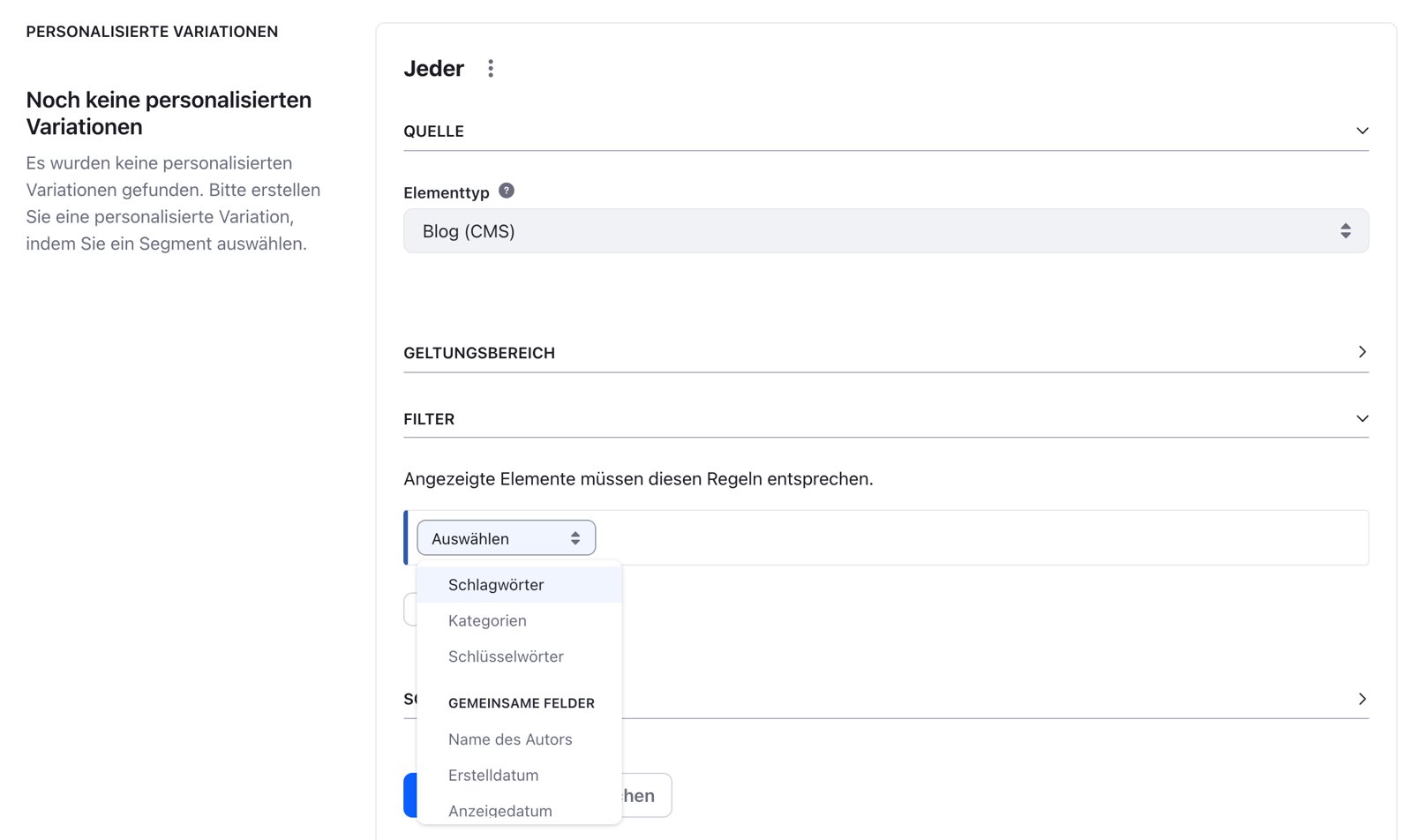
Many websites live on lists: events, press releases, contacts, products. Dynamic Collections can now filter and sort by the fields of a CMS content type or an Object, such as yes/no fields, picklists, numbers, dates and text. Several rules can be combined, for example “all events in Hesse, from today, sorted by date”. Until now this often required a Search Blueprint or custom code. Now editors can build such lists themselves.
Content from the new CMS also appears automatically in the site’s XML sitemap, each with the address of the correct display page. On these display pages, related content with the same categories can be shown, even across several sites.
According to Liferay, classic Web Content structures are in maintenance mode. Asset libraries, the content dashboard and Publications now sit in a separate “In Maintenance” group in the menu. They continue to work but will not be developed further. Existing content therefore does not have to move right away, and Liferay has not announced a migration tool so far. New content types, however, should be created in the new CMS from now on.
The new image editor
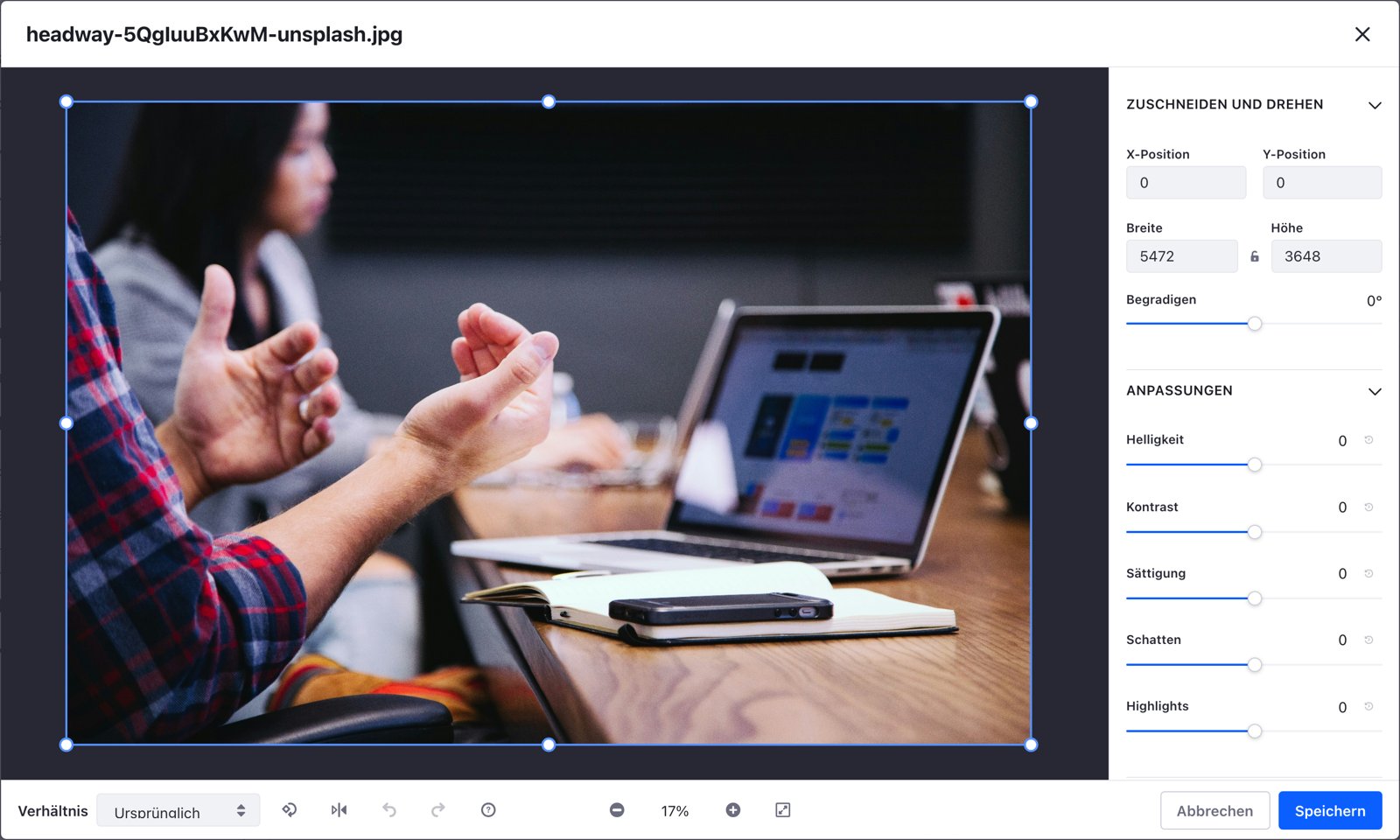
The most visible new feature for editors is the image editor in the new CMS. It opens directly from the file list. The image is on the left, the tools on the right, and aspect ratio, rotate, flip, undo and zoom at the bottom. For most tasks that editors used to handle in a separate image program, Liferay itself is now enough. Liferay built the editor in-house instead of embedding a third-party component: it can be used entirely with a keyboard and screen reader and meets WCAG 2.2 AA.
Crop and adjust
Images can be cropped freely or to fixed aspect ratios: 1:1, 4:3, 16:9 and the portrait formats 3:4 and 9:16. The position and size of the crop can also be entered as numbers. Tilted photos are straightened with a slider, and images can be rotated in 90-degree steps and flipped. Brightness, contrast, saturation, shadows and highlights each have their own slider and can be reset individually.
Filters and frames
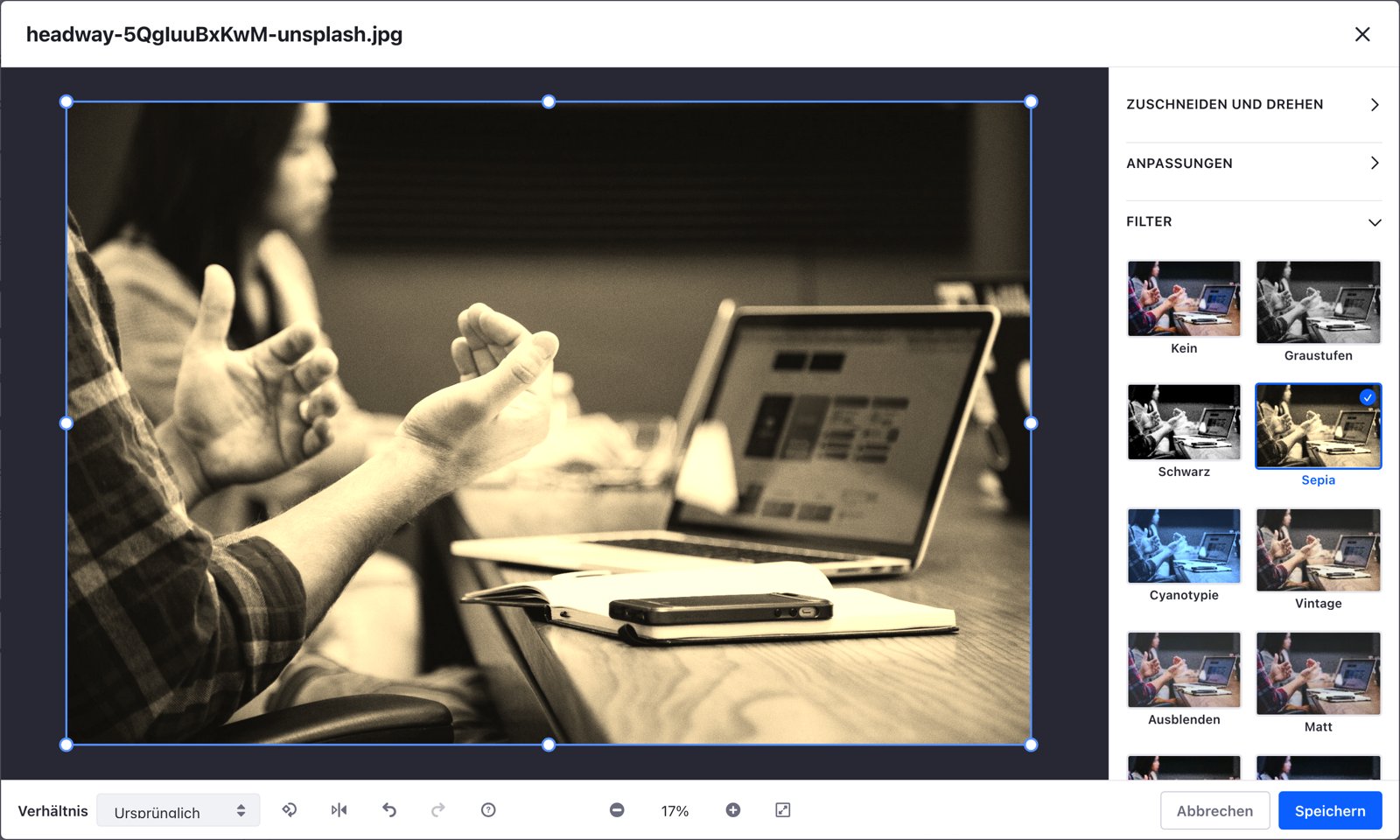
There are 19 filters to choose from, from greyscale and sepia to warm and cool colour moods and effects such as duotone or posterize. Each filter is shown as a small preview of your own image, so you can see the result before clicking. In addition, there are nine frames, such as a double line, dashed lines or corners.
Annotate and redact
Text boxes, shapes, freehand drawings, additional images such as a logo, and emojis can be placed on top of the image. Each element is its own layer with position, size, rotation and opacity. Several elements can be grouped and moved together.
The redaction tool is particularly useful. It makes areas unrecognizable, either pixelated or blurred, in four strengths. Faces, licence plates or a screen showing confidential data can be removed before publishing without editing the image elsewhere first.
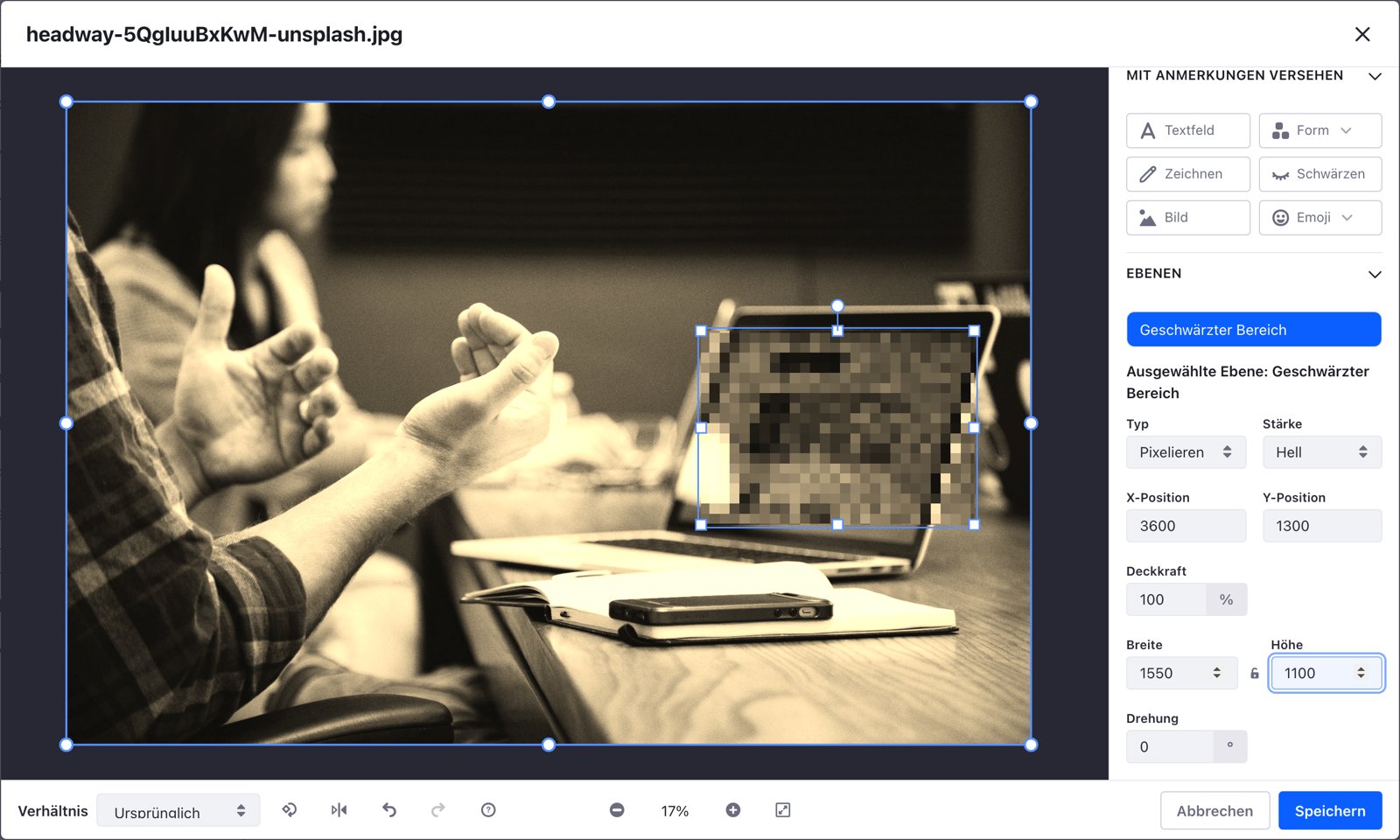
Important: the image editor is only available in the new CMS, not for images in classic Web Content.
Editors find things faster and change them more safely
Every page of the administration now has one search field for everything: Omni Search finds applications, settings, pages, content and people in a single step. Typing “workflow” takes you straight to the right setting, and entering a page title opens the page. Results respect the permissions of the respective user. Especially for editors who only work with Liferay occasionally, there is no more searching through menus.
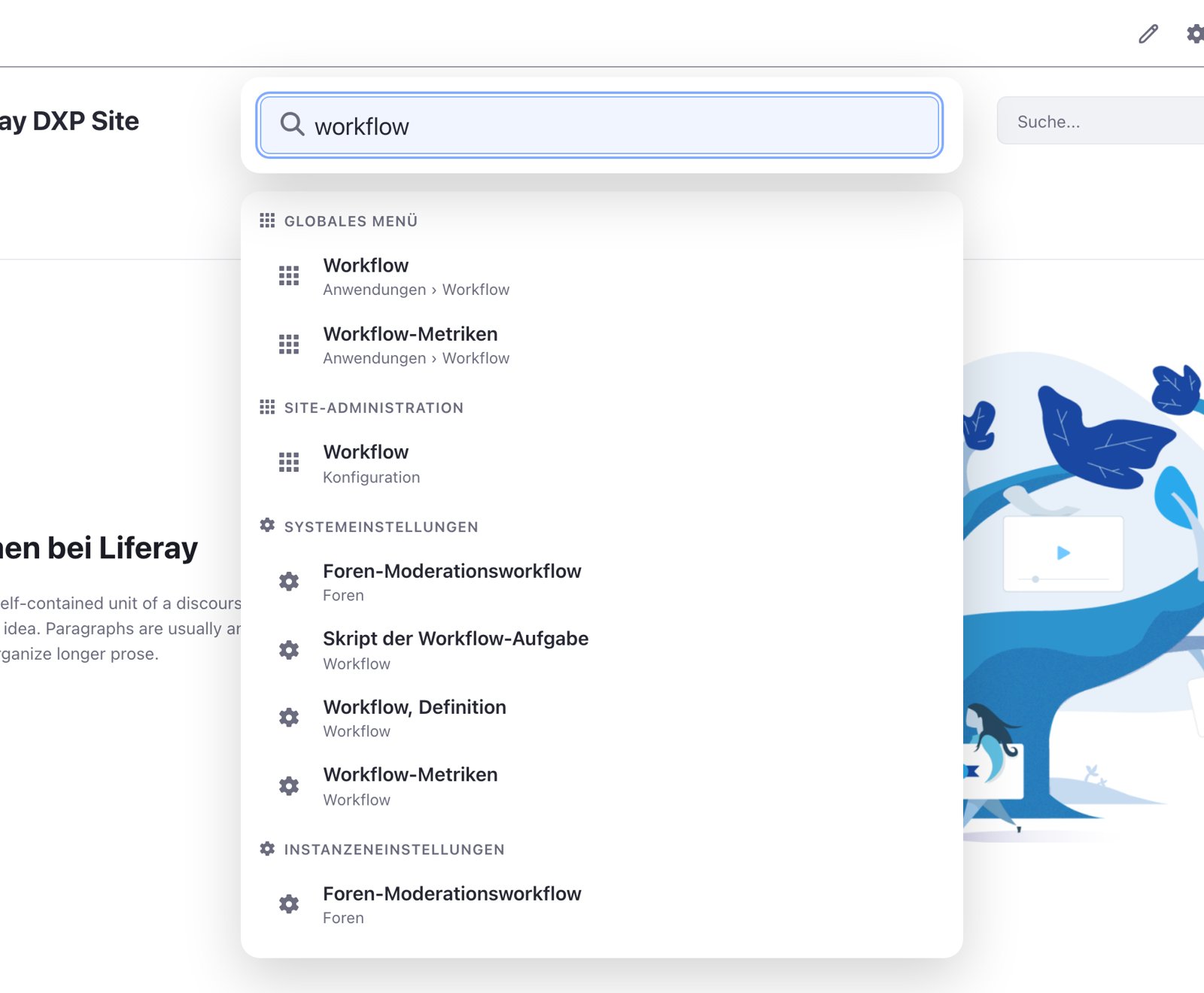
Content pages now have a version history. You can see who changed a page and when, preview every earlier version and restore it with one click. If several people work on the same page or a draft was discarded by mistake, the previous state is quickly back.
The Control Panel visibly separates system and instance settings, and the applications menu is organized by task. The administration also has a dark mode whose contrasts meet WCAG 2.2 AA. Omni Search, page versions and dark mode are activated with a switch in the settings and are supported for production use.
AI with rules: the MCP Server
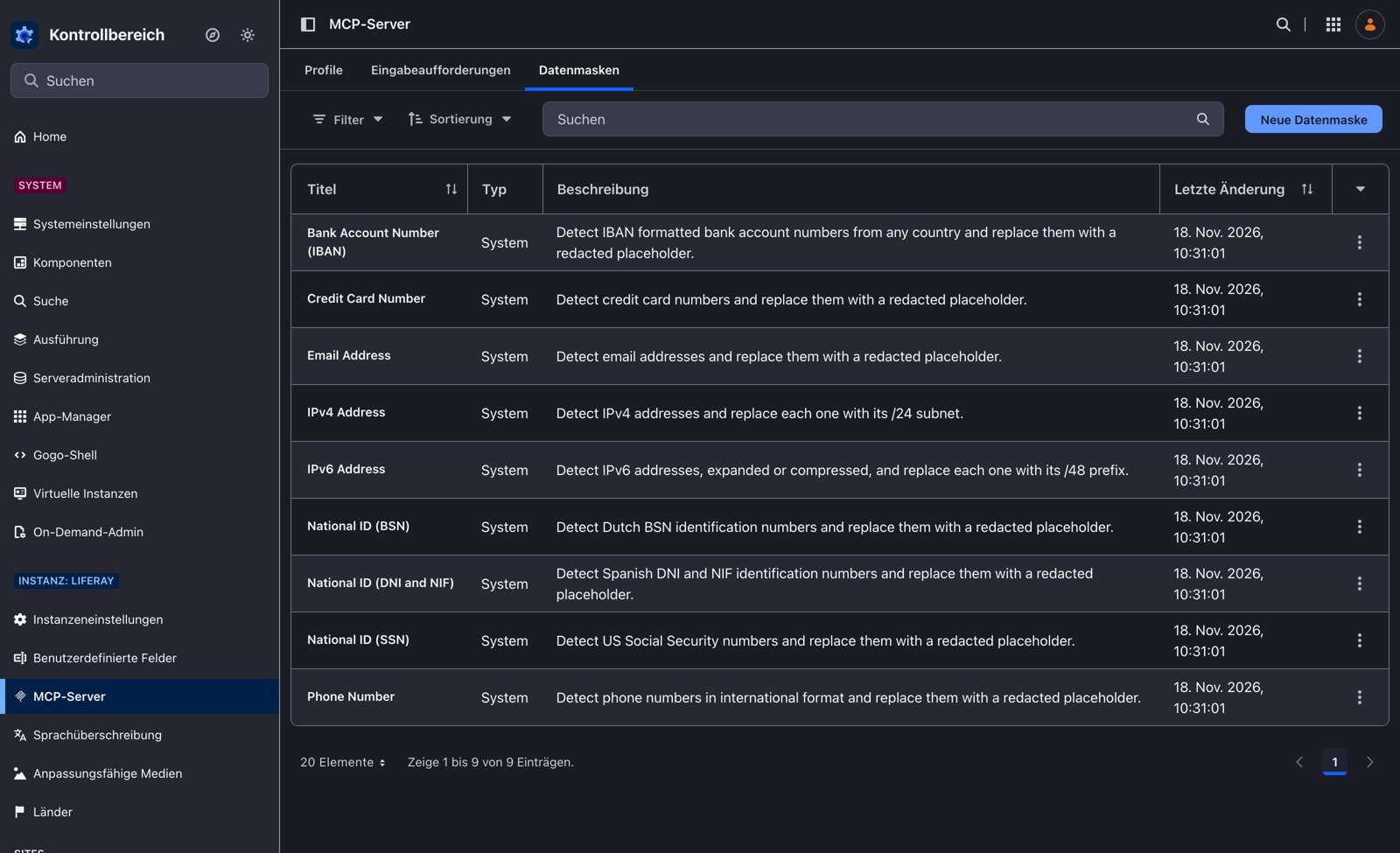
Through the MCP Server of Liferay DXP, AI tools access content and data in Liferay, always with the permissions of the signed-in user. What someone cannot see in Liferay, the AI cannot see either. Profiles and data masks arrived with 2026.Q3. New in Q4 is a dedicated administration interface where profiles, prompts and data masks are managed in one place.
Nine data masks are included, for example for IBANs, email addresses, phone numbers and IP addresses. There is no ready-made mask yet for German identifiers such as the tax ID or identity card number, but custom masks can be created, for example for customer or membership numbers.
Objects, their fields and relationships can also be given descriptions that are automatically added to the API description. This lets an AI understand what a field means without anyone writing separate documentation. Teams that connect other systems to Liferay benefit as well.
Liferay has also announced that individual fields and entire data sources can be excluded from AI access altogether, even if the user is allowed to see them. In our test instance running 2026.Q4.0, this feature could not yet be activated.
Many sites, one design
Organizations running many country, association or product sites have been able to manage colours, fonts and building blocks centrally in a Design Library since 2026.Q3. Q4 extends this: custom design tokens, such as brand colours or spacing, can be created directly in the Style Book editor. Page templates can now also belong to the Design Library. A new site is built from approved templates and looks like the others from day one. The Dialect theme is no longer shipped, and Liferay recommends the Classic theme with Style Books.
And also
Entire sites can be exported to a single file and imported into another environment, including pages, content, Objects and roles. Virtual instances can be copied. After an upgrade, DXP itself checks whether the database matches the new version.
Our assessment
2026.Q4 clearly shows where Liferay DXP is heading: content becomes structured data that can be filtered and reused without programming. Editors get tools they previously needed other programs for, above all the image editor. The design of many sites is managed centrally, and AI accesses data according to clear rules.
For existing customers this means: try out the new CMS now and decide which new content types should be created there. If you want to connect AI to Liferay, start with the MCP Server and the data masks.

